 Data
DataProduct
From scanner to archive, on your own PC or server.
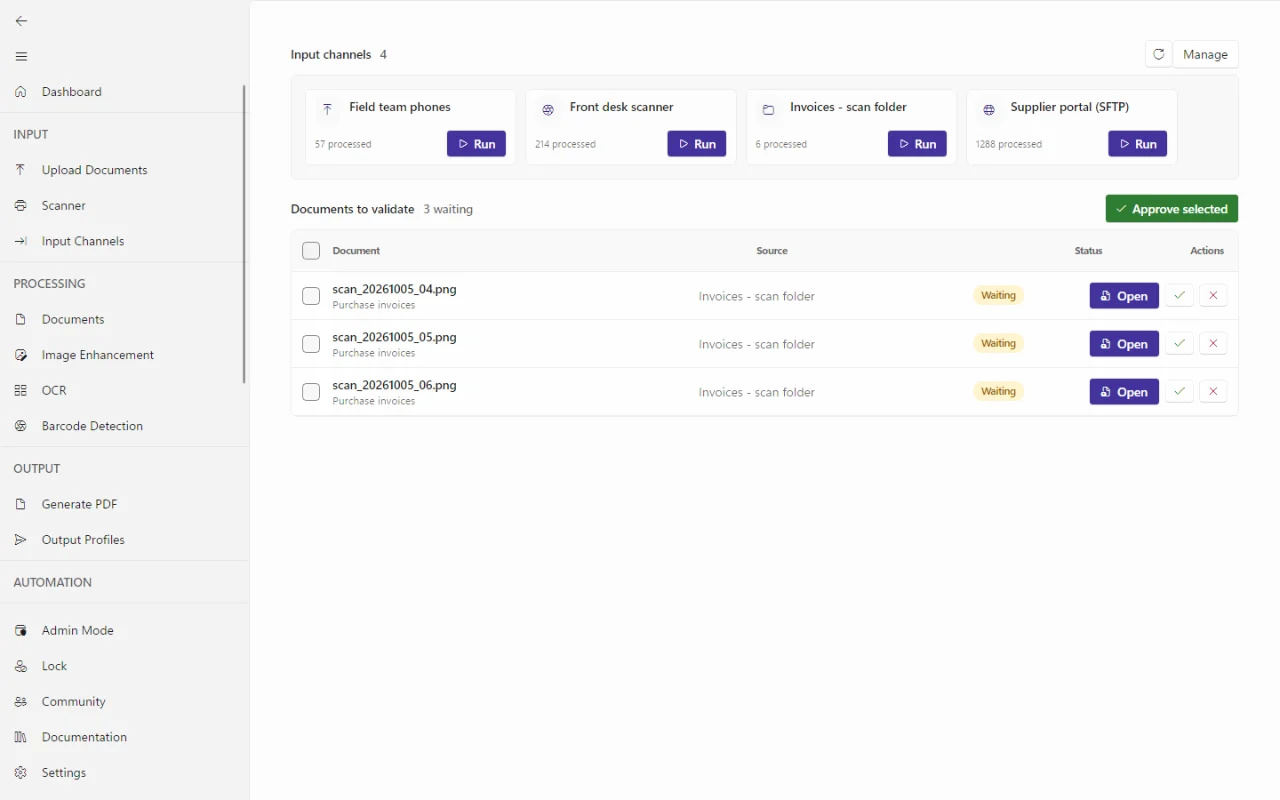
DataSnap Desktop runs on the PC next to the scanner, the Windows service on your own server. That is where the work happens: scanning, reading, checking and delivery. The portal and the phone app are an add-on with the same workflows, for anyone who wants to check in the browser or on the road.
DataSnap Desktop and Windows service
Everything happens on the PC next to the scanner.
- Live scanning. A blurred or cut-off page gets a warning sign straight away. An orange strip shows where DataSnap thinks a new document begins.
- Splitting on separator sheets. You print the barcode separator sheets from DataSnap. Put one between each letter and the stack splits by itself.
- Local AI recognises the type of document in Dutch, French, English and German, and each page is read in the right language.
- Lookup tables with your suppliers, departments or cost centres. DataSnap recognises the sender by its VAT number and fills in the rest.
- Insights counts how many documents went through without manual work and how many hours that saved.
- The Windows service keeps processing at night, when nobody is signed in, and installs signed updates itself.
Workflows
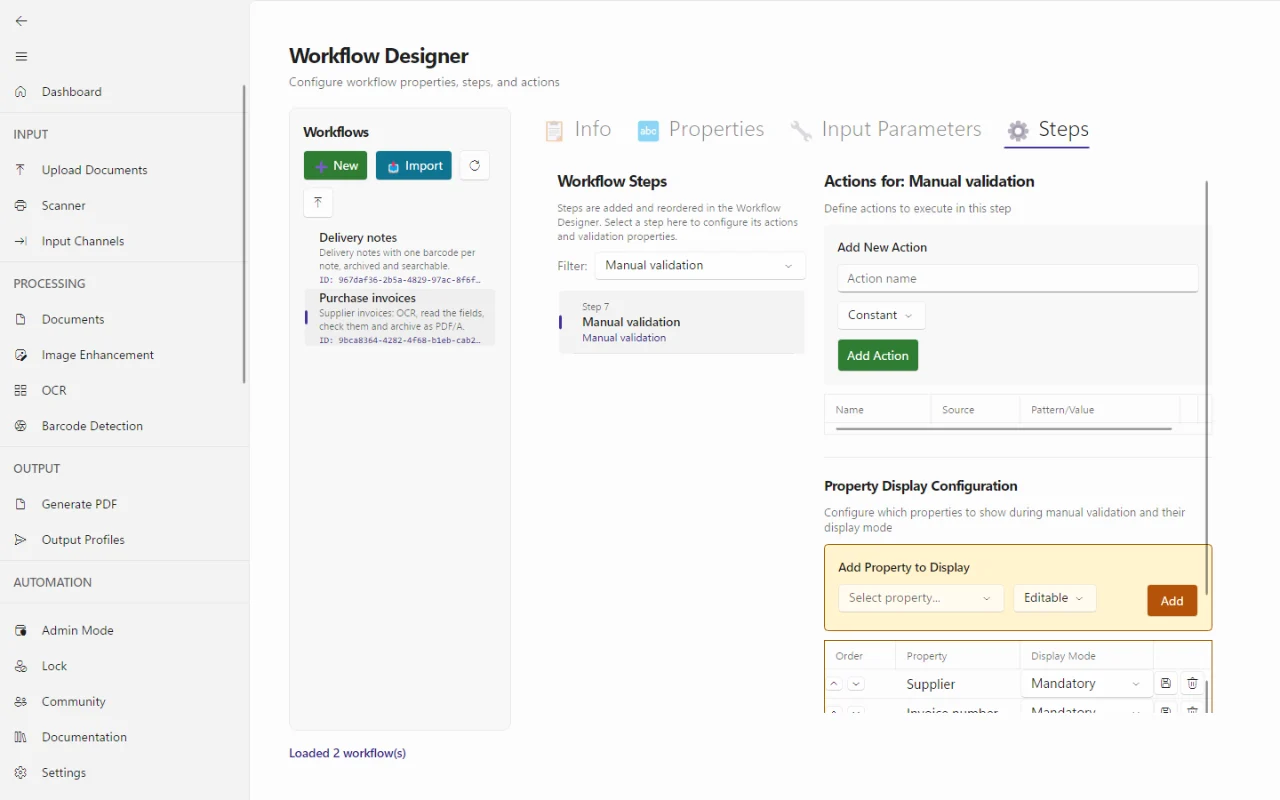
We set up your workflows, together with you.
At installation we prepare the steps for your flow: cleaning up, removing blank pages, reading text, splitting, filling in fields, review and creating a PDF/A. If you want to change something later, such as sending an invoice without a purchase order number to a separate queue, you do it yourself in the workflow designer, without code. You can also ask us. Your workflows are part of the backup of your settings.
Portal
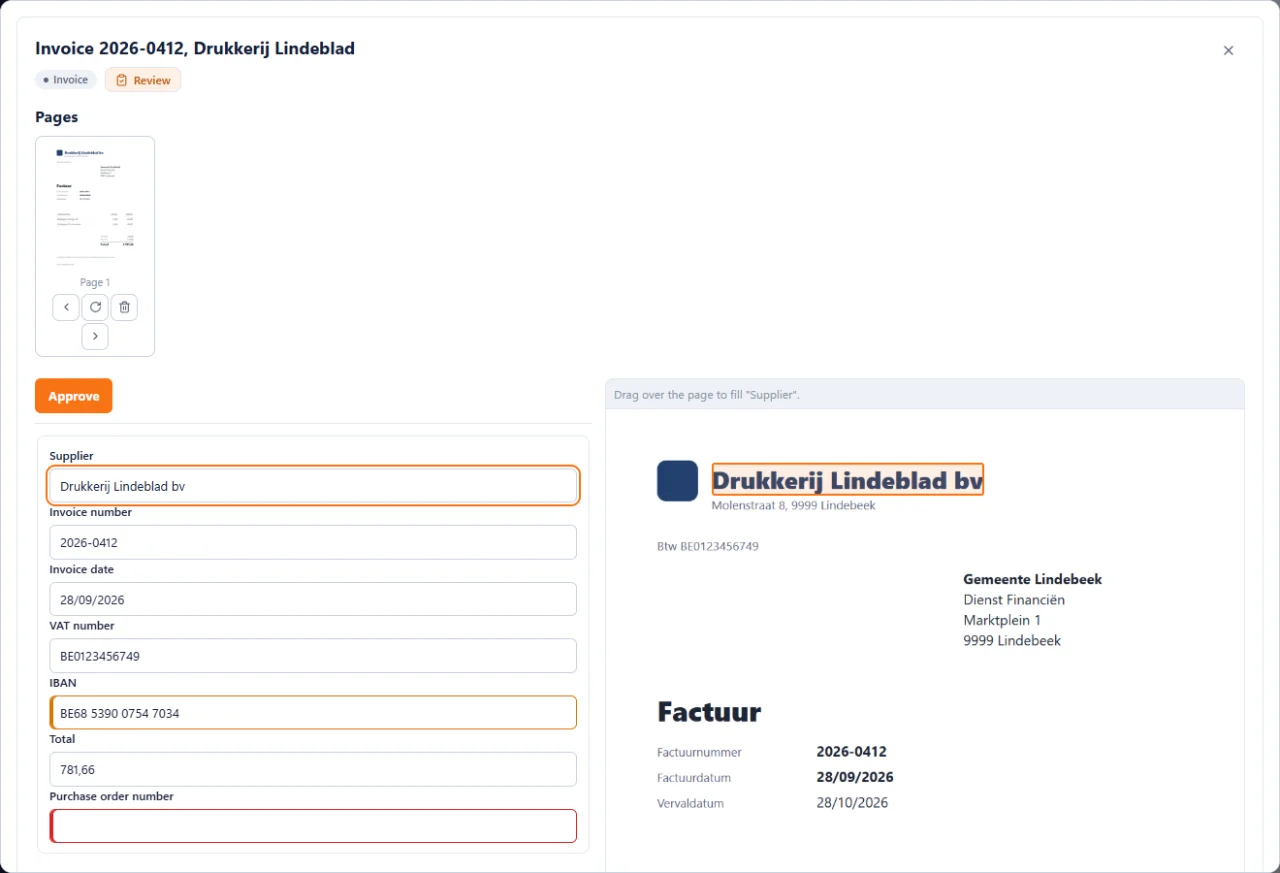
Review and archive in the browser.
- Review in the browser. Click a field and draw a box around the right text on the page. The text goes into the field.
- Archive with every version and its fingerprint, a retention period per document type and legal hold. On storage with object lock, even an administrator cannot delete anything early.
- Users and phones you manage yourself. You link a phone with a QR code that is valid for 48 hours.
- Two-step sign-in or a passkey, and your own branding in the portal, desktop and phone app.
DataSnap Capture phone app
The building inspector photographs the document on site.
- The edges of the sheet are detected and straightened on the phone itself.
- Without a signal the scans stay on the phone. The app sends them as soon as there is a network and resumes an interrupted upload.
- Review on the go with the same fields and lookup lists as on the desktop. Tap words on the page to fill in a field.
- Link with a QR code from the portal. No password is stored on the phone.
For Android and iOS.
Technical
The details for your IT department.
| Desktop and service | Windows 10 and 11 (64-bit) |
|---|---|
| Scanners | TWAIN and WIA, with document feeder and duplex |
| Input | Scanner, network folder, mailbox (IMAP), SFTP, phone app. Through the portal also S3 storage and a webhook. |
| Splitting | Barcode and patch code sheets, blank page, fixed number of pages |
| Output | Searchable PDF/A (2b by default, also 1b, 2u and 3b) and XML |
| Delivery | To a folder, by e-mail, over SFTP or FTPS, or with an HTTP call to the API of your software |
| Integrations with your software | We build a direct integration with your software when you need it, to a standard such as HL7 or FHIR or on its own API |
| Languages | Apps in Dutch, French and English. Recognition in German too. |
| AI | Local models on your own PC or server, in a separate installation. External AI only if you switch it on yourself. We do not train models with your documents. |
| Updates | Signed and installed by the service. The user needs no admin rights. |
| Portal | In the browser, hosted in the European Union |
| Phone app | Android and iOS |